
DeepSeek makes some of the most interesting open-weight models in the local-AI landscape — strong reasoning, genuinely competitive with frontier cloud models on many tasks, and the lineage that put “open weights can match closed” on the map. They’re also enormous, which makes “run DeepSeek locally” a more complicated sentence than it sounds. The V4 generation’s flagship is a 1.6-trillion-parameter Mixture-of-Experts model — that’s not fitting on your GPU. But the Flash variant, and the older smaller models, are real options for consumer hardware, and this is how to think about them.
This is the “run model X locally” entry for DeepSeek — the practical counterpart to our open-source LLM landscape and the model-fit question of what actually fits on your card.
The DeepSeek model landscape (what exists)
DeepSeek’s lineup in 2026 spans a wide range, and the first thing to get straight is which model we’re even talking about:
- DeepSeek V4-Pro — the flagship. ~1.6 trillion total parameters, ~49B active per token (MoE), 1M-token context. This is a frontier-class model. It does not fit on consumer hardware. Even aggressively quantized, the weight footprint is far beyond any reasonable GPU. This is a cloud/API-only model. Anyone telling you they run V4-Pro locally is renting data-center GPUs.
- DeepSeek V4-Flash — the mid-tier of the V4 generation. ~284B total parameters (MoE), smaller active footprint. Even this is a serious ask: GGUF quantizations exist (down to 2–4 bit), but realistically you’re looking at multi-GPU or a very high-memory machine to run it. The community has produced 2/3/4-bit GGUFs that shrink the footprint, but “fits on a 24GB card” is not in the cards for full V4-Flash.
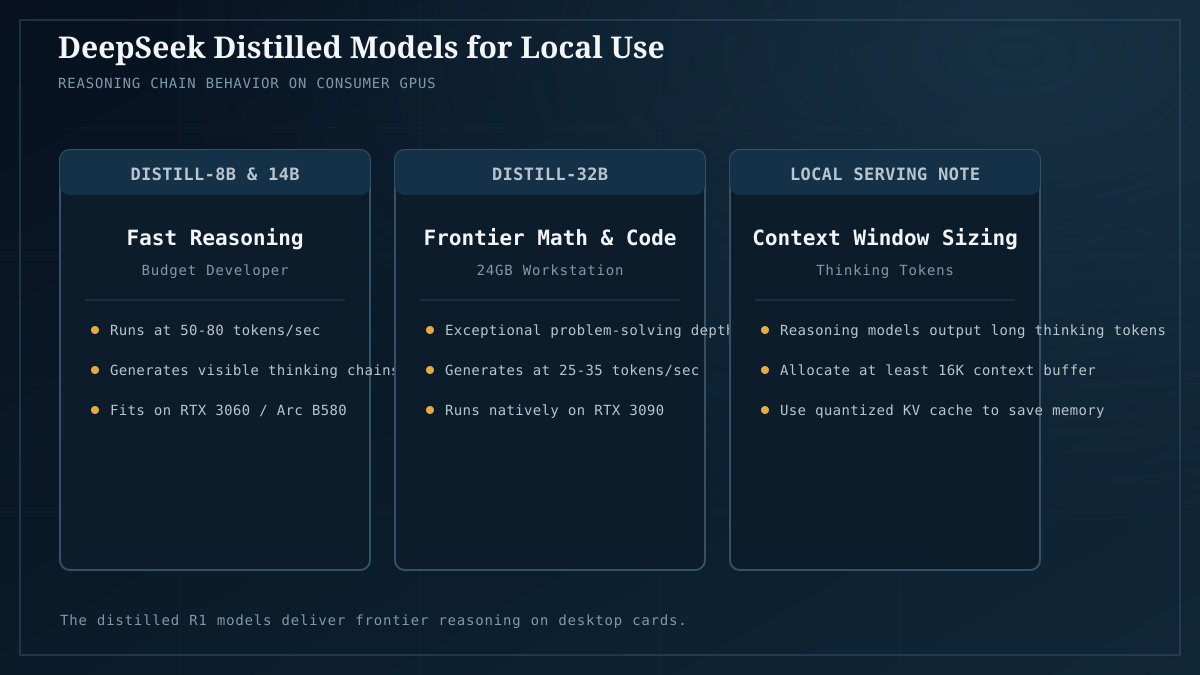
- DeepSeek-R1 (and distilled variants) — the reasoning-focused models that put DeepSeek on the local-AI map. The full R1 is large, but the distilled variants (R1 distilled into smaller architectures — 7B, 8B, 14B, 32B, 70B host architectures) are the models most local runners actually use. A 14B or 32B R1-distilled model is a real, runnable option on consumer hardware and genuinely strong at reasoning tasks.
- Older/smaller DeepSeek models — the pre-V4 lineup includes smaller dense models that fit comfortably on mid-range hardware.
The honest summary: when someone says “run DeepSeek locally,” they almost always mean an R1-distilled variant (14B–32B), not V4. The V4 generation is a cloud play; the distilled reasoning models are the local play. Get this distinction straight before you go hunting for a GGUF.
What actually fits on your hardware
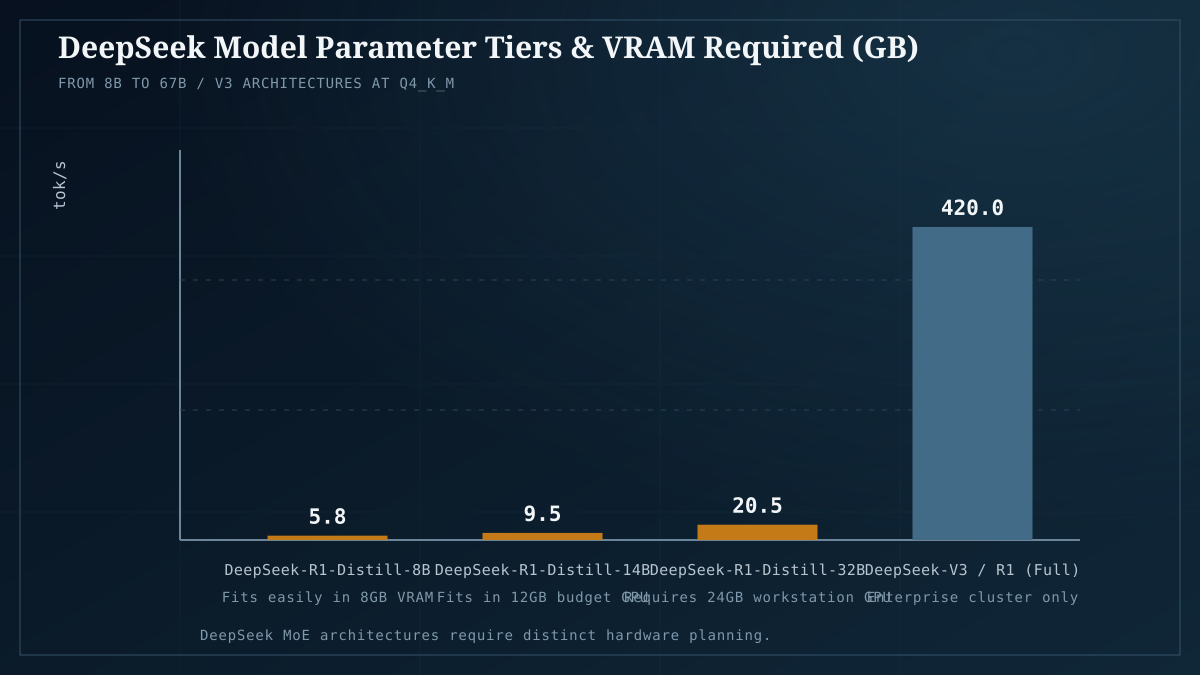
Using the VRAM framework — weights plus context plus headroom — here’s the realistic picture:
| You have | Realistic DeepSeek option | Notes |
|---|---|---|
| 12GB (entry tier) | R1-distilled 7B/8B at Q4_K_M | Comfortable; the reasoning quality of the distillation at a size anyone can run. |
| 16–24GB (sweet spot) | R1-distilled 14B at Q6, or 32B at Q4_K_M (tight) | The genuine local-DeepSeek sweet spot. 14B at Q6 fits cleanly on 16GB+; 32B at Q4 fits on 24GB with context management. |
| 32–48GB+ (multi-card/high-mem) | R1-distilled 32B at Q6/Q8, or 70B-distilled at Q4 | The serious-local tier. 70B-distilled at Q4 wants ~40GB+ — multi-GPU territory or a high-memory Mac (unified memory). |
| Frontier hardware / cloud | V4-Flash at aggressive quant, V4-Pro | Not consumer-local. Rent or use the API. |
The pattern: the distilled models are the local-AI-relevant DeepSeek, and they map cleanly onto the standard VRAM tiers. Run your target variant through Model Fit before you commit — the distillation sizes vary by host architecture, and quantization tier swings the footprint significantly (why Q4_K_M is the default).
How to actually run it
The setup is the standard local-LLM loop — DeepSeek models aren’t special in tooling terms, they’re GGUF files served by the same runtimes everything else uses.
- Pick your runtime. Ollama for the easy path (it hosts the common R1-distilled variants under the
deepseek-r1tag family), or llama.cpp for more control over flags and quantization. For a 14B–32B model on a single card, Ollama is the right default. - Pull the model. In Ollama, something like
ollama pull deepseek-r1:14b(check the current tag list for exact names and available sizes). The pull fetches a Q4_K_M quantization by default — the practical default — which is the right starting point. - Check the fit. Before running, confirm via Model Fit that the variant plus your target context fits your card with headroom. A 32B at Q4 plus a long context can surprise you on a 24GB card.
- Run it.
ollama run deepseek-r1:14band interact, or point your chat UI / agent framework at the OpenAI-compatible endpoint.
That’s the loop. The DeepSeek-specific nuance is purely in which model you pick (distilled, sized to your VRAM) — once chosen, it runs like any other GGUF.
What DeepSeek reasoning models are actually good at
Worth being specific about, because “run DeepSeek” without context is vague:
- Multi-step reasoning — the R1 line is built for chain-of-thought, so it’s strong on math, logic, code-with-explanation, and problems that benefit from working through steps. This is where the distillation’s value lives.
- Coding — competitive with other strong coding models at the same size tier. Pairs well with a local coding agent.
- What it’s not uniquely good at — fast simple chat, lightweight writing tasks. For those, a smaller/faster non-reasoning model (Mistral 7B, an 8B MoE) is more efficient. DeepSeek’s reasoning models “think” out loud, which is great for hard problems and slow for easy ones.
The honest read: run a DeepSeek R1-distilled model when you want reasoning depth at a size you can afford, and a smaller/faster model for quick everyday chat. The model landscape piece situates DeepSeek among the other options.
The honest limits
- V4-Pro and full V4-Flash are not local models. Don’t buy hardware expecting to run them. If you want V4-class capability, use the API. The local-relevant DeepSeek is the distilled R1 line.
- Reasoning models are slower per token. The chain-of-thought that makes them good at hard problems also means more tokens generated per answer. Budget for that in latency expectations.
- Distillation quality ≠ full-model quality. An R1-distilled 14B is genuinely good; it’s not the full R1. Match the model size to the difficulty of your actual workload.
- The model carousel moves fast. DeepSeek ships often; the specific tags and variants available will shift. Treat this as the approach, and check current availability when you pull.
The takeaway
Running DeepSeek locally is real and worthwhile — specifically the R1-distilled variants in the 14B–32B range, which map onto the standard VRAM tiers and deliver genuinely strong reasoning at sizes consumer hardware can run. The V4 generation, despite the attention, is a cloud story; don’t buy a GPU expecting to run it. Pick the distilled variant that fits your card (check with Model Fit), pull it through Ollama like any other model, and use it where reasoning depth is the point — not for quick chat where a smaller model is faster.
Next: Model Fit to confirm which distillation fits your card; the model landscape to see DeepSeek alongside the other options; quantization in 2026 for why Q4_K_M is the right starting quant.
DeepSeek model sizes and availability reflect mid-2026 and shift as new releases ship. V4-Pro/Flash details per NVIDIA Build model card and Unsloth’s local-run guide; local-relevant GGUFs on Hugging Face.