In 5 things you can do with a local LLM today, the first item — “a private coding agent” — got a paragraph. This is the full version: how to actually stand one up, which model to pick, what it’s good at, and the honest limits. By the end, you’ll have a coding assistant that writes and refactors code across your project, explains unfamiliar code in plain language, and generates tests — and your source never leaves your disk.
This is, in our opinion, the killer app for local AI in 2026. Not because local coding models are better than the cloud ones (they aren’t, at the frontier) — but because source code is the workload where “the model’s transcript of your code is on a third-party server” goes from uncomfortable to actively risky.
What you’re building
Four pieces:
- The model — a coder-leaning LLM, GGUF, local.
- The runtime — Ollama for ease, or llama.cpp for control. Same as the self-host starter.
- The editor integration — the bit that turns “a local model API” into “an agent that reads your repo and edits files.” Continue, Aider, and your editor’s built-in local-model support are the main options.
- Your repo — the thing it works on.
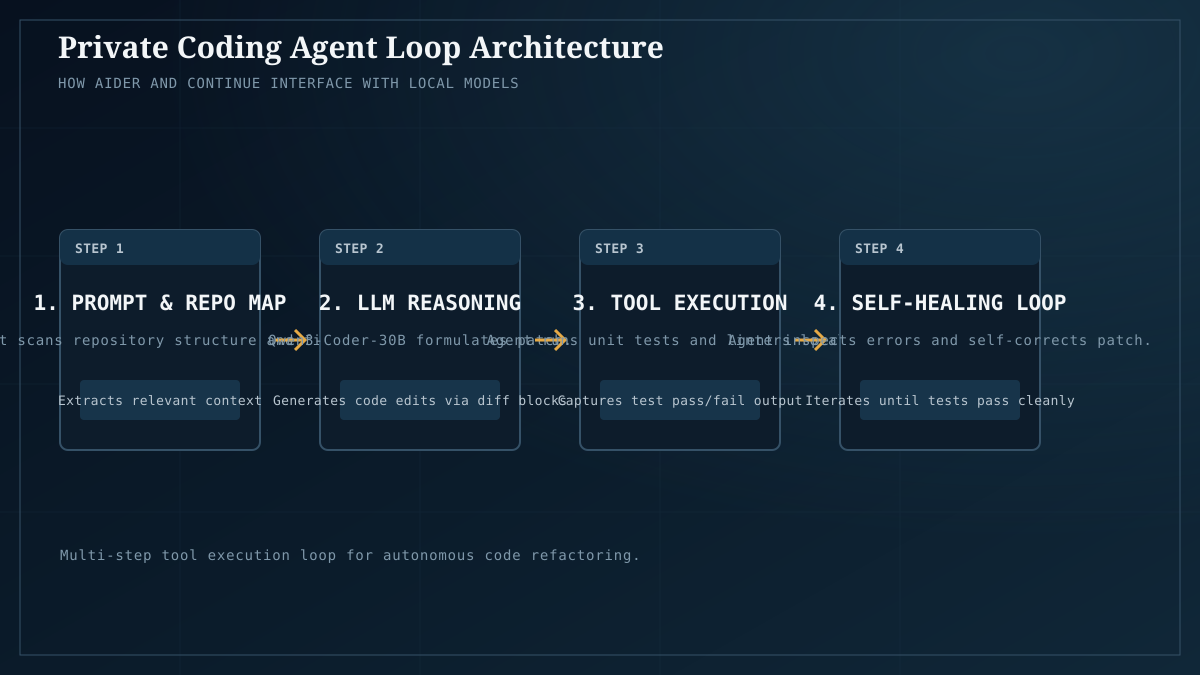
The agent loop is: you describe the change in plain language, the integration hands the model the relevant file context, the model proposes edits (or applies them, depending on the tool), you review. Source code stays local the entire time.
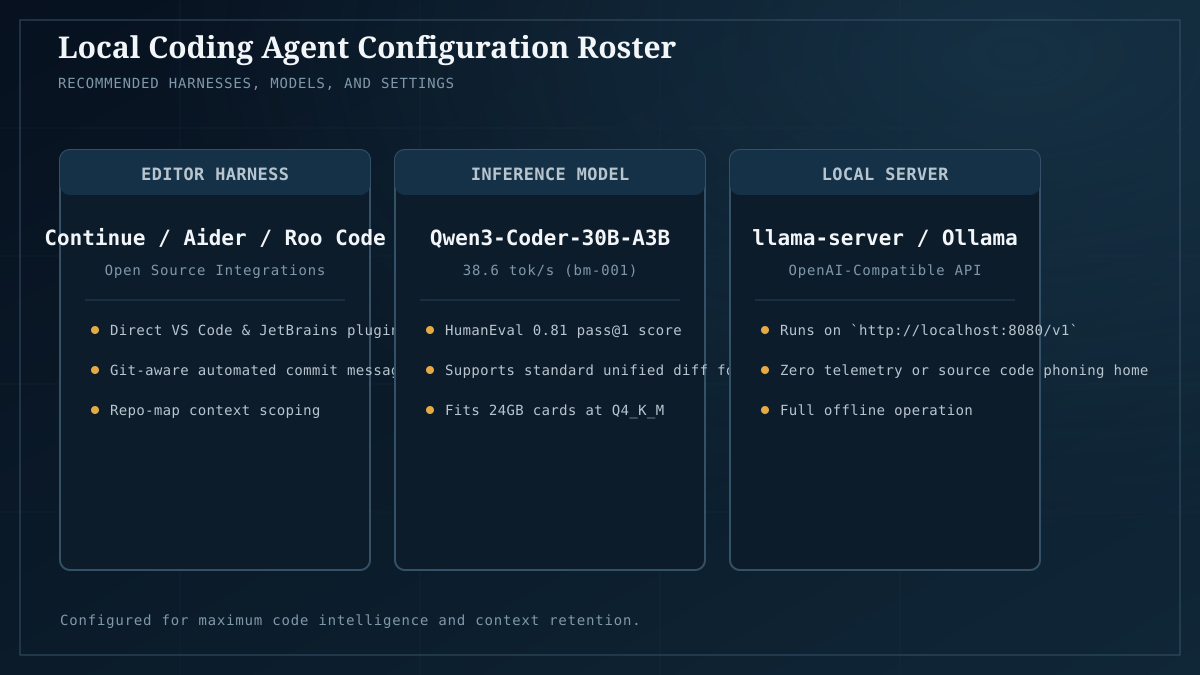
The model: Qwen3-Coder-30B-A3B at Q4_K_M
The current default for local coding, and the model behind our $300 recipe. Three reasons:
- It’s a 30B-total / 3B-active MoE, so it has the parameter depth for real code understanding but only computes 3B per token — which is why it fits and runs at usable speed on a 12–24GB card. (See the MoE shift for why this trade works.)
- At Q4_K_M the quality loss is small — within ~3 points of Q8 on HumanEval pass@1 in bm-003, at roughly half the VRAM. The default quantization tier is fine for coding work; you don’t need to chase Q8.
- It’s what the ecosystem is tuning for. Coder-leaned models get community eval attention that general models don’t; bug fixes and prompt patterns propagate fast.
For a smaller card (8GB), step down to an 8B-class coder model; you’ll give up some quality but the loop still works. For a 24GB card with headroom, you can run the 30B at Q6_K for the near-zero quality delta, or step up to a larger coder MoE. Check fit with Model Fit before you commit. For the measured quant-tier table behind that choice, see best local LLM for coding in 2026.
The integration: Continue or Aider
Two paths, different shapes:
- Continue (editor extension — VS Code, JetBrains) — a chat sidebar plus inline edit and autocomplete. It speaks the OpenAI-compatible API that Ollama exposes, so you point it at
localhost:11434and pick the model. Closest to the GitHub Copilot experience, private. Good for: conversational coding help, refactors with review, autocomplete, explaining selected code. - Aider (terminal tool) — a pair-programmer that edits files directly in your git working tree, with git commits as the undo mechanism. More agentic: you say “add a retry wrapper to the fetch client and update the tests,” it makes the edits and commits. Good for: well-scoped multi-file changes you can review as a diff.
Both are open source, both speak to a local Ollama/llama.cpp endpoint, both keep your code on your machine. Pick based on whether you want a chat sidebar (Continue) or a terminal pair-programmer (Aider). Many people run both.
There are also the editors’ own built-in local-model integrations and other agentic frameworks (Open WebUI’s agent features, Cline, etc.) — the landscape moves fast; the pattern is always “tool that speaks OpenAI-compatible API → your local model server.” Once you internalize that, any new tool is a config screen away.
What it’s good at
Be specific, because the hype version of “AI coding” oversells:
- Boilerplate and CRUD. “Generate a typed API client from this OpenAPI spec,” “write the repository methods for this model,” “add input validation to these handlers.” Reliable, fast, a real time-saver.
- Refactors with a clear spec. “Rename this concept everywhere, here’s the new name,” “extract this function and update callers,” “convert these callbacks to async/await.” The local 30B handles these well when you tell it exactly what you want.
- Explaining unfamiliar code. Select a function, ask “what does this do and what could break if I change X.” Genuinely useful for onboarding to a codebase you didn’t write.
- Test generation. “Write unit tests for this function covering the edge cases.” Good first draft; you’ll edit.
- Routine translations. “Port this Python to TypeScript.” Surprisingly competent at the 30B tier for non-pathological code.
Where it falls down
Read this part carefully — it’s where the local coding agent differs from the marketing:
- Very large repos. The model can’t hold your whole codebase in context. Integrations work around this by selecting relevant files, but on a 500K-line monolith you’ll spend time curating context. This is a context-window problem, not a quality problem, and it hits every model including cloud ones — but local models have smaller windows than the frontier cloud models do.
- Novel algorithm design. Hard algorithmic work — the kind where you’d want a staff engineer to think for an hour — is where the local 30B is noticeably below frontier. Use it for the 90% of coding that’s not that, and reach for the cloud (or a human) for the 10%.
- The latest library APIs. If a library shipped a breaking change last month and the model’s training cutoff predates it, the model will confidently use the old API. Always compile and run the output; treat it as a smart first draft, not a finished PR.
- Subtle cross-file reasoning. “Change X, but also remember that Y depends on it and Z has a test that assumes the old behavior.” The model gets the explicit request and misses the implicit ripple. You are the reviewer; do not skip review.
Why local matters here specifically
For a coding agent, the privacy argument is not aesthetic — it’s operational. Source code under embargo, proprietary algorithms, customer data embedded in test fixtures, security-sensitive internals: none of that should be in a third-party IDE plugin’s prompt log. A local coding agent is the difference between “we use AI coding tools” and “we use AI coding tools and our lawyers are fine with it.”
This is also the use case where the cost-inverts-at-scale argument bites hardest. A coding agent that fires on every keystroke (autocomplete) or every save (inline edit) is high-volume by definition. That’s exactly the workload where a cloud API’s per-token pricing becomes brutal and a local GPU’s fixed cost wins.
A reasonable starting config
If you want a concrete place to begin:
- Hardware: Arc B580 12GB (or any 12GB+ card) — see Builds.
- Runtime: Ollama. (llama.cpp if you want every knob.)
- Model:
qwen3-coder-30b-a3bat Q4_K_M (drop context to fit on 12GB; full context on 24GB). - Editor integration: Continue for chat + inline, Aider for terminal pair-programming.
- Workflow: describe the change → review the diff → run the tests → commit. Always review. Always run.
Tune from there. The defaults are good enough to be useful on day one; the tuning is what makes them great over weeks.
The takeaway
A private coding agent is the workflow where local AI’s three advantages — privacy, cost-at-scale, and control — all point the same direction at once. The model isn’t frontier-class, but for the bulk of real coding work it doesn’t need to be, and the fact that your source never leaves your machine is the feature, not a limitation. Set it up this weekend, keep the review discipline, and you’ll have a coding assistant that’s yours in a way no cloud tool can be.
Start from the $300 recipe for the hardware and the model, then wire in Continue or Aider. The quantization math behind the Q4_K_M choice is in bm-003, and the broader model choice lives in the July 2026 landscape. For the measured Q4/Q6/Q8 comparison and the per-card recommendation, see Best local LLM for coding in 2026.