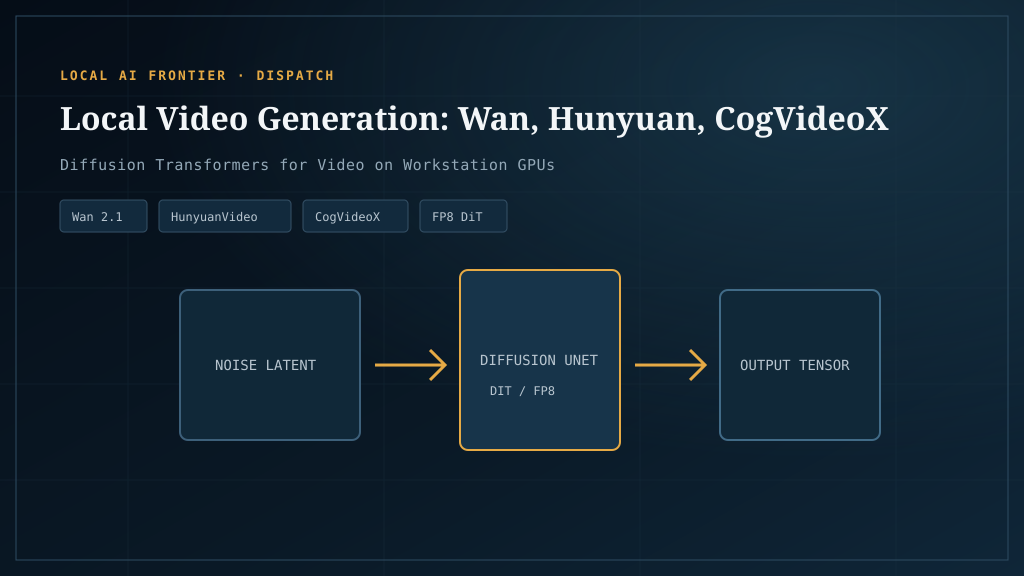
Local video generation is where the hardware pressure is highest in all of AI media. A 24GB card that breezes through Flux image generation will OOM on a serious video model. Generation times are measured in minutes, not seconds. The good models want 40GB+ of VRAM for comfortable use. And the open-source options, while genuinely competitive on quality, are behind the cloud APIs on polish and ease.
This is the honest version. We’re not going to tell you local video gen is easy. We’re going to tell you what’s actually runnable on consumer hardware, what isn’t, and the optimizations that let you stretch a tier lower than the model authors suggest. If you’ve already worked through the local-vs-cloud framework and decided local video is worth pursuing — for volume reasons, privacy reasons, or content-control reasons — this is the article for you.
Why video is the hardest local workload
Two reasons.
The VRAM cliff hits harder than for images. Image models hold a fixed-size U-Net or transformer in VRAM and process a single frame. Video models hold a model that has to attend across multiple frames simultaneously, which scales memory roughly linearly with frame count. A 5-second clip at 24fps is 120 frames. The attention mechanisms that make video coherent across those frames are memory-hungry in ways image generation isn’t.
Generation times are long. A Flux image takes 5–30 seconds. A 5-second Wan video clip takes 2–10 minutes on a 4090, longer on slower cards. This changes the economics: where you might run a Flux batch overnight and get thousands of images, an overnight video run gives you a few dozen clips. Volume accumulates slowly, and the break-even math is correspondingly harder.
None of this means local video gen is impossible or wrong. It means you have to be honest about why you’re doing it. We’ll come back to that.
The five runnable open-source video models
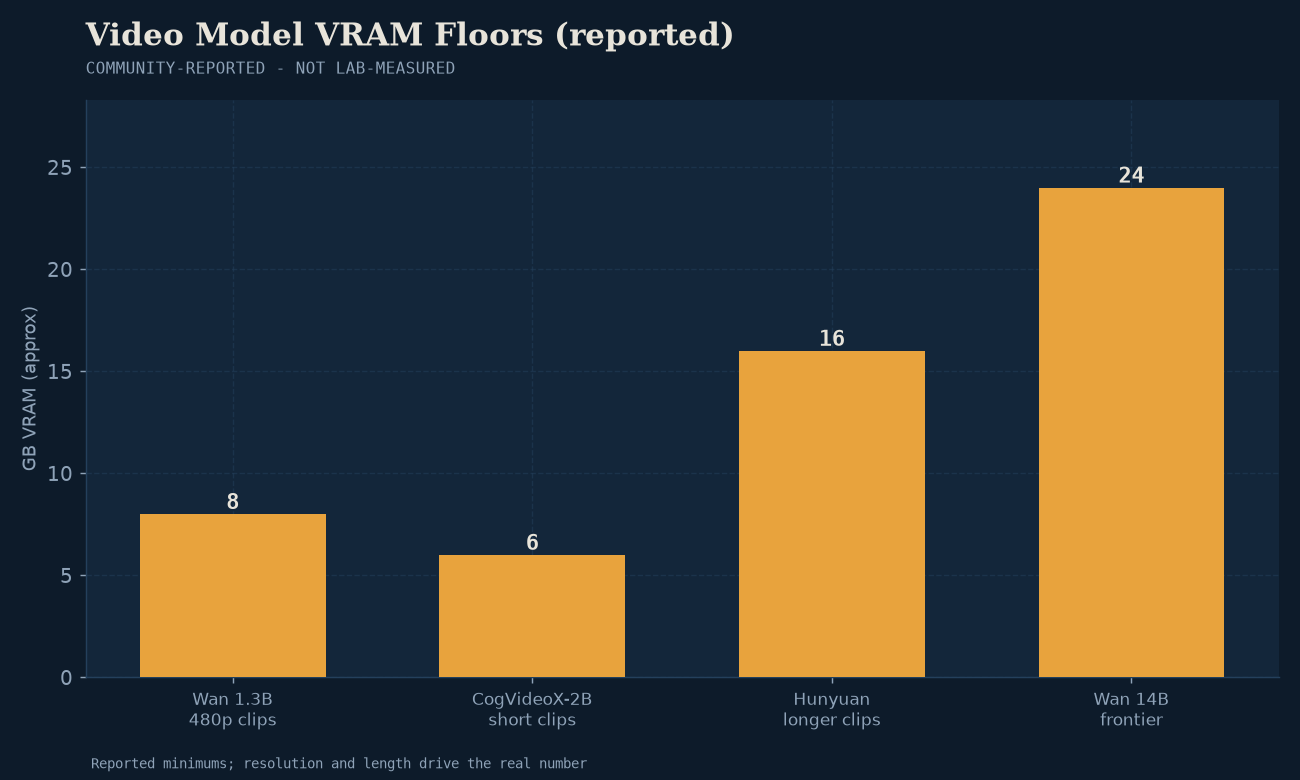
LTX-Video / LTX-2 — the lighter entry point (12–16GB)
LTX-Video is the lightweight option. It runs on 12–16GB VRAM, generates faster than the heavier models, and LTX-2 (2026) added synced 4K audio+video generation — a feature none of the other open models have. If you’re new to local video gen, start here. The quality is below Wan and Hunyuan but the barrier to entry is dramatically lower.
Per Spheron’s image-to-video GPU guide, LTX-Video is the right pick for users on 12GB cards who want to experiment before committing to bigger hardware.
Wan 2.1 / 2.2 — the 24GB+ tier
Wan is the workhorse open video model. Wan 2.1 and 2.2 run comfortably on 24GB VRAM (RTX 3090 / 4090 class), produce quality competitive with commercial offerings, and have broad ComfyUI support. This is what most serious local video practitioners are running.
The Clore.ai video gen comparison benchmarks Wan against Hunyuan, CogVideoX, Mochi 1, and LTX-Video on quality, speed, and VRAM — worth reading before picking.
Wan 2.5 (preview) — significantly more VRAM; weights pending
Wan 2.5 is in preview as of mid-2026 and demands substantially more VRAM than 2.1/2.2 due to 1080p resolution and 10-second clip length. Per the r/StableDiffusion WAN2.5 thread, even 24GB cards are marginal; 40GB+ is the realistic target. Weights are not yet publicly released in final form — check before assuming 2.5 is the right target.
Hunyuan Video — strongest quality, 24GB+ comfortable, 40GB+ ideal
Hunyuan Video (Tencent) is the strongest open video model on quality as of mid-2026, per RunPod’s open-source roundup. The cost: VRAM. 24GB is the floor, 40GB+ is the comfortable tier, and you’ll want every optimization below to make it work on a single 4090.
If quality is the priority and you have the hardware, this is the pick.
CogVideoX — the alternative at 24GB+
CogVideoX (Tsinghua/Zhipu) is the other major open option. Similar VRAM class to Wan, slightly different aesthetic, strong on certain prompt styles. Worth trying alongside Wan to see which fits your work; the differences are subjective and workflow-dependent.
Hardware that actually handles video gen
How much VRAM you need for local AI depends on the workload tier — for video gen it’s the single deciding number, and our how much VRAM you need for local AI guide explains the tier math behind the ladder below.
RTX 4090 (24GB) — the floor for serious work
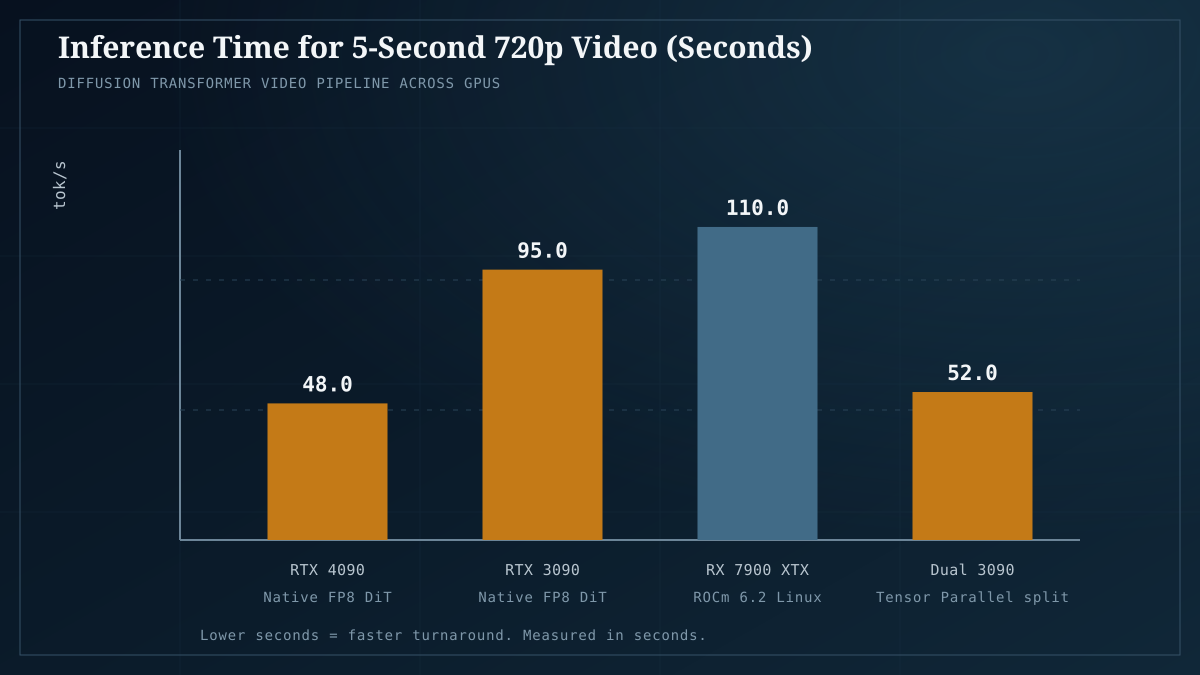
The 4090 is the realistic starting point for serious local video generation. It handles Wan 2.1/2.2 comfortably, runs Hunyuan with every optimization enabled, and generates 5-second clips in the 2–5 minute range. If you’re buying a card specifically for video gen, this is the floor. Cheaper cards will run LTX-Video fine but struggle with the heavy models. For the cross-vendor picture, our measured GPU buyer’s guide ranks the options by measured value.
RTX 5090 (32GB) — the upgrade that matters
The 5090’s 32GB of VRAM matters more for video than for any other workload. It’s the difference between running Hunyuan with comfortable headroom versus constantly fighting OOM. The ~25–40% price premium over the 4090 is easier to justify for video than for image work because the VRAM actually changes what you can run, not just how fast.
Multi-GPU and used 3090s — the budget path
If a 4090 isn’t in budget, two used RTX 3090s (24GB each) often outperform a single 4090 for video workloads that can use the combined VRAM, at lower total cost. Multi-GPU setup is more complex — not all video pipelines split cleanly — but for the right workload it’s the value play. See our build recipes for multi-GPU rig configurations, and our used RTX 3090 buyer’s guide for what to check before buying one used.
Optimizations for marginal cards
If you’re trying to run a heavy model on a card below its comfortable tier, these are the levers. All of them trade latency for VRAM headroom.
Block swapping / virtual VRAM
The video equivalent of ComfyUI’s Dynamic VRAM for images. Model weights are swapped between VRAM and system RAM in blocks, only keeping the active computation in VRAM. This works — it’s how 24GB cards run 40GB-class models — but the latency cost is real. Generation that takes 3 minutes without block swapping might take 8–10 minutes with it. Plan accordingly.
GGUF quants for video models
Same approach as image and LLM quantization. Q8, Q6, Q5, Q4 quants of Wan and Hunyuan circulate on HuggingFace. A Q4 quant roughly halves VRAM use at a small quality cost. For marginal cards, this is often the difference between “runs” and “OOMs.”
Frame interpolation (generate fewer frames, interpolate)
Generate 15 frames and interpolate to 60, rather than generating 60 directly. Tools like RIFE and FILM do this well. You cut generation time and VRAM by 4× at the cost of some temporal coherence. For commercial work where quality is paramount, skip this. For content where good-enough is good enough, it’s a meaningful lever.
These optimizations are the video-specific cuts of the same techniques that work for images. For the full ComfyUI optimization stack — Dynamic VRAM’s VBAR allocator mechanics, the FP16-vs-FP8-vs-GGUF-Q8 quality comparison, and the xFormers / SageAttention / Flash Attention backend selection — see ComfyUI optimization in 2026. The same levers apply to video, with one caveat: be more conservative with quantization on video, because artifacts persist across frames and are more visible than in single images.
Where local video gen genuinely wins
Local video gen is the right call in three specific situations:
High-volume commercial work. If you’re generating hundreds of clips per month for ads, social content, or product video, the math eventually works. The break-even is higher than for images (see the pillar math) but it exists. Studios doing high-volume commercial video are the natural local-video customer.
Privacy/IP-sensitive production. Brand campaigns, unreleased product video, agency client work where the prompt itself is IP. Cloud video APIs log prompts and outputs. For commercial work under NDA or embargo, local eliminates the question.
Uncensored creative work. Cloud video platforms have content filters, and like image filters they’re inconsistent and shifting. Artists working in styles the platforms won’t serve have local as their only option. We don’t celebrate this, but it’s a real driver.
Where it loses to cloud (be honest)
For everyone else, cloud video APIs usually win. The reasons:
- Convenience. Runway, Pika, Sora, and even fal.ai-hosted Wan/Hunyuan require zero hardware and zero maintenance. For most creators, this is the right call.
- Frontier quality. The best commercial video models (Sora, Runway Gen-4) are still ahead of the best open models on certain axes — coherence, complex motion, prompt adherence. If you need the absolute best quality and don’t have 40GB+ of VRAM, cloud is the answer.
- No hardware risk. Cloud APIs improve over time at no extra cost to you. A GPU you buy today is a fixed asset that depreciates.
If you’re an individual creator doing occasional video work, compare the cloud video APIs before committing to local hardware. Most readers will land on cloud for video even when local makes sense for their image work.
A realistic ComfyUI video setup
For a 24GB NVIDIA card on Windows or Linux:
- Install ComfyUI as described in the local image guide.
- Install the video model support custom nodes — WanVideoWrapper or HunyuanVideoWrapper depending on your model.
- Download a Wan 2.1 model from HuggingFace (look for
wan2.1-t2v-14Bor similar). For Hunyuan, the canonical weights are on the Tencent Hunyuan page. - Drop the model in
ComfyUI/models/diffusion_models/(orcheckpoints/for older formats). - Load a video workflow template from ComfyUI — the defaults work for first-time testing.
- For marginal cards: enable GGUF quant, enable block swapping, reduce frame count.
The ComfyUI video docs cover the model-specific details better than we can here. Video gen moves fast enough that a stale tutorial hurts more than it helps.
Where to go next
- Local vs cloud AI generation — the decision framework — if you haven’t done the break-even math.
- Cloud video generation APIs compared — if local video doesn’t pencil out, here’s the cloud landscape.
- Running Flux and Stable Diffusion locally — image gen is much easier; if you’re new to local AI media, start there.
- Our tested builds — rig configurations that actually handle video gen.
Last verified: July 2026. Wan 2.5 and Hunyuan iteration are moving fast — re-validate the VRAM recommendations before buying hardware.