Text-to-speech used to be the gap in local AI: image generation had Flux, text had a dozen frontier-class LLMs, but voice meant either a cloud API or a robotic open-source afterthought. That’s changed. In 2026 the open-weight TTS landscape has genuine options — good enough that “run my own ElevenLabs, offline, for free” is a real thing you can do.
This is the pillar seed for the local voice/audio cluster: a practical map of which model to pick for which job, the tradeoffs, and the licensing catches that decide whether you can actually use it commercially. We’re upfront about the limits of this piece below — read them.
The honest disclosure first
We have not benchmarked these TTS models on the lab fleet. Our benchmark records cover LLM inference (Qwen3, LFM2.5, Qwen3.6) and backends (llama.cpp, Ollama, OpenVINO, Vulkan/CUDA/ROCm) — not speech models. The characterizations here are drawn from the current community consensus and reviewer testing as of July 2026, not our own measurements, and we’d be lying to imply otherwise. What we can speak to from direct experience is the surrounding architecture: how TTS fits into a local voice pipeline, the hardware tiers, and the privacy story — because we’ve built exactly that in the offline voice assistant tutorial.
Treat the quality characterizations as well-sourced community consensus, not lab-verified numbers. When we benchmark TTS properly (it’s on the content map for the voice cluster), this piece gets the receipts.
The decision in one table
Pick by use case, not by parameter count:
| If you want… | Use this | Why | License |
|---|---|---|---|
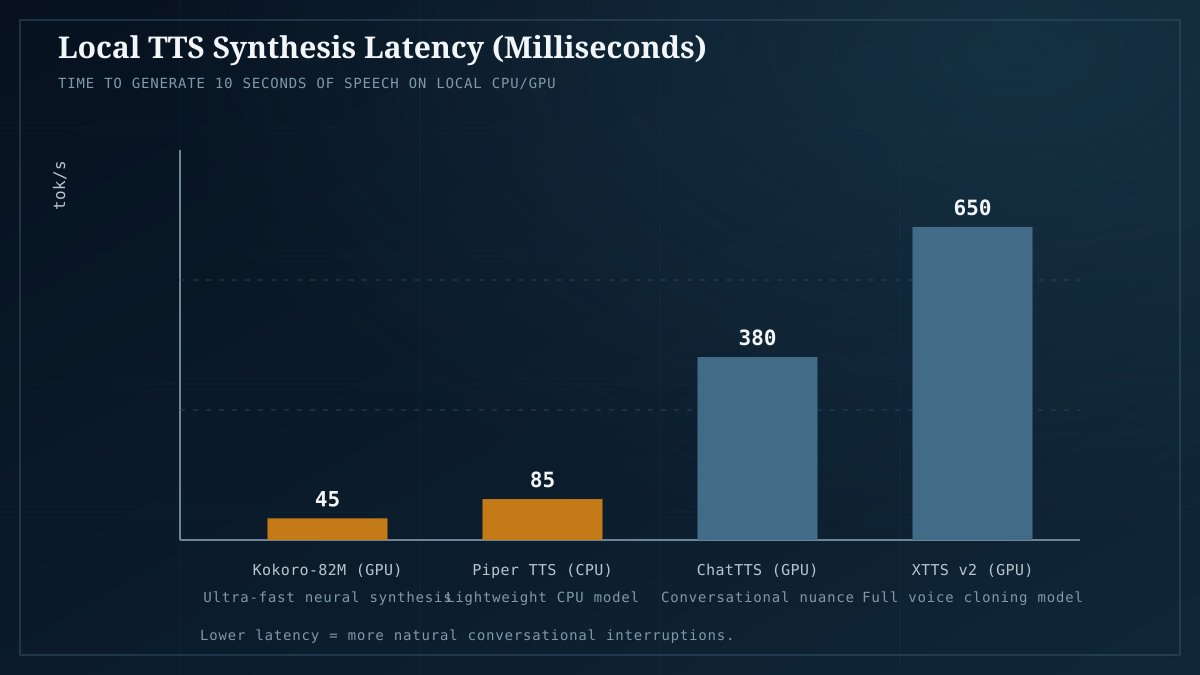
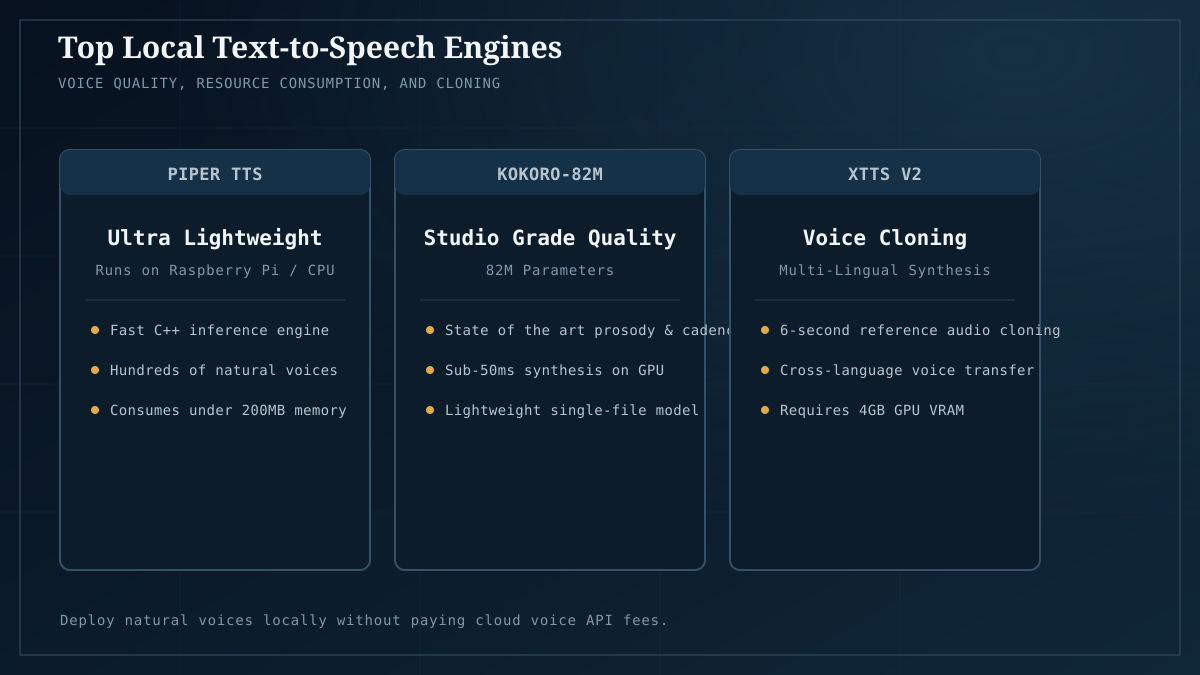
| The best all-round default | Kokoro-82M | 82M params, runs on CPU, 54 voices in 8 languages, genuinely good quality | Apache 2.0 ✅ commercial-OK |
| Zero-shot voice cloning (copy a voice from a short sample) | XTTS-v2 | The gold standard for cloning; ~480M params, needs a GPU | CPML ⚠️ non-commercial |
| Maximum output quality, research/personal use | F5-TTS | State-of-the-art naturalness; demanding to run | CC-BY-NC-4.0 ⚠️ non-commercial |
| Ultra-fast / edge / Raspberry Pi | Piper | Tiny, CPU-only, near-instant; quality lower but fine for UI prompts | MIT ✅ commercial-OK |
| A real-time voice assistant (STT→LLM→TTS) | Kokoro (fast) or Piper (fastest) | Latency is the product here; see our voice assistant build | per model |
The license column is not a footnote — it’s often the deciding factor. Two of the four best models (XTTS-v2, F5-TTS) are non-commercial, which matters enormously if you’re shipping a product. More on that below.
Kokoro-82M: the new default
If you’re not sure which to pick, pick Kokoro. It’s the model that turned “local TTS” from a compromise into a default:
- 82M parameters — small enough to run on CPU, or ~2–3GB VRAM on a GPU. It fits on anything, including the $300 starter card.
- Apache 2.0 license — genuinely commercial-friendly. You can ship it in a product without a licensing conversation.
- 54 voices across 8 languages — enough variety that you’re not stuck with one robotic narrator.
- Fast — real-time or better on modest hardware, which is why it’s the right backend for a voice assistant where latency matters.
The quality isn’t quite at the level of the larger non-commercial models, but it’s good enough for narration, UI feedback, accessibility, and most content work. For a lot of readers this is the only model in this article you need.
XTTS-v2: when you need to clone a voice
Kokoro gives you preset voices. XTTS-v2 gives you any voice — feed it a short audio sample and it reproduces that voice (zero-shot, no fine-tuning required). That’s the capability that makes it the gold standard for cloning work: audiobooks in a specific narrator’s voice, consistent character voices, dubbing, accessibility replication of a specific person’s speech.
The catches:
- Bigger and slower. ~480M parameters, wants a GPU for good speeds. Not a CPU model.
- CPML license = non-commercial. This is the Coqui Public Model License. You can use XTTS-v2 personally and for research, but you cannot ship it in a commercial product without a separate commercial arrangement. For a lot of hobbyist and internal use this is fine; for anything you’re selling, it’s a hard stop unless you license separately.
- Cloning ethics. Cloning someone’s voice without consent is a real harm, and increasingly a legal one. The capability is powerful; use it on your own voice, with consent, or not at all. We’ll cover the ethics and legality in depth in the dedicated voice-cloning piece.
F5-TTS: the quality ceiling
When XTTS-v2 isn’t natural enough and you want the absolute best output quality — for polished narration, production audio, anything where “good enough” isn’t — F5-TTS is the current state-of-the-art on naturalness among open weights. It’s the model people reach for when quality is the only axis that matters.
The catches are the same shape as XTTS-v2: it’s CC-BY-NC-4.0 (non-commercial), it’s demanding to run, and for most practical work Kokoro is close enough that the quality gap doesn’t justify the complexity. Reach for F5-TTS when you’ve hit Kokoro’s ceiling and you need more; don’t start here.
Piper: the edge and latency pick
Piper is the opposite philosophy from F5-TTS: optimize for speed and footprint above all. It’s tiny, CPU-only, near-instant, and MIT-licensed. The output quality is noticeably below the others — fine for a UI prompt, a notification, a quick readback; not what you’d want for an audiobook.
Where Piper wins is latency-critical and resource-constrained contexts: a Raspberry Pi, a mini PC, an always-on voice assistant where the TTS needs to feel instantaneous, or any device where a GPU isn’t available. For the real-time voice assistant pipeline on low-end hardware, Piper is often the right backend specifically because it adds almost no latency to the STT→LLM→TTS loop.
How TTS fits into a local voice pipeline
A model on its own isn’t a product. A local voice assistant is three components, and we’ve built this end-to-end:
- STT (speech-to-text) — Whisper or faster-whisper turns your spoken input into text.
- LLM — the text goes to your local model (Ollama or similar) for the actual response.
- TTS — the model’s text response goes to Kokoro/Piper/XTTS to be spoken back.
The TTS model choice in step 3 is what this article covers; the full pipeline is the offline voice assistant tutorial. The hardware for the whole stack is modest — a 12GB card runs the LLM comfortably, and TTS adds little on top (Kokoro/Piper barely register; XTTS wants a GPU but coexists fine with the LLM on a 24GB card). Check Model Fit for your target LLM and treat TTS as a small additional load.
The licensing reality check
This is the part most “best local TTS” roundups gloss, and it’s the part that actually decides what you can build:
- Ship it in a product? You’re down to Kokoro (Apache 2.0) or Piper (MIT). XTTS-v2 and F5-TTS are non-commercial — full stop, no clever workaround.
- Personal / research / internal use? All four are fine. XTTS-v2 and F5-TTS give you better quality and cloning for non-commercial contexts.
- Audiobook or content you’ll monetize? Back to Kokoro or Piper, unless you’ve secured a commercial license for the others.
The licensing asymmetry is why Kokoro is the practical default even where it’s not the quality leader: it’s the one you can actually use for almost anything. If a roundup recommends XTTS-v2 or F5-TTS as “the best local TTS” without flagging the non-commercial license, it’s giving you advice you can’t legally follow in a product.
VRAM and hardware notes
TTS is light compared to LLMs, so the hardware story is simple:
- Kokoro / Piper: CPU-only is fine. They add negligible load to any machine already running a local LLM. Even the $300 starter handles them.
- XTTS-v2 / F5-TTS: want a GPU, ~2–4GB VRAM on top of whatever your LLM is using. On a 24GB card running a 30B LLM (~22GB), you may need to offload TTS to CPU or a second device — dual-GPU topologies help here. On a 12GB card, run TTS on CPU while the GPU serves the LLM.
If you’re sizing hardware for a voice pipeline, the VRAM decision is still dominated by the LLM. Pick the card for the model you want to chat with, and TTS will fit around it.
The takeaway
For most readers, the answer is Kokoro-82M — it’s the Apache-licensed, CPU-friendly, good-enough default that works for almost everything and ships in products. Reach for XTTS-v2 when you need voice cloning (non-commercial), F5-TTS when you need maximum quality (non-commercial), and Piper when latency or hardware is the constraint. The licensing column is not optional reading — it’s the line between “I can build this” and “I can ship this.”
This is the seed of the voice cluster. From here, the natural next steps are the dedicated voice-cloning tutorial (with the ethics and legality done properly), a Kokoro-vs-XTTS measured comparison once we benchmark them, and the full STT→LLM→TTS voice assistant if you want to build the whole pipeline today.
Next: the full local voice pipeline is in Build a real-time offline voice assistant. For the LLM that sits between STT and TTS, Ollama vs llama.cpp is the runtime choice, and Model Fit tells you whether your card handles the model you want.
Model characterizations reflect community consensus and reviewer testing as of July 2026, not our own benchmark measurements. Licensing summaries are simplified — read the actual license (CPML for XTTS-v2, CC-BY-NC-4.0 for F5-TTS) before commercial use. Sources: localaimaster.com, ocdevel.com, codesoto.com, DigitalOcean, r/LocalLLaMA.